Stop Searching.
This is your first printer.
We print hundreds of name signs, cake toppers, and keychains on the A1 Mini, so this review is based on daily use, not a spec sheet. Short version: it's the printer we recommend to every beginner. Long version, including what it can't do, below.
Plug & Play
Fully assembled, full-auto calibration. From opening the box to your first printed name is about 20 minutes, and none of them involve a wrench.
Quiet Enough for a Living Room
Active motor noise cancellation keeps it at or under 48 dB, about the level of a quiet conversation. Overnight prints in the next room are a non-event.
Incredible Value
Lists at $299 and is regularly on sale closer to $200. Five years ago, this speed and reliability cost four times as much and came as a kit.
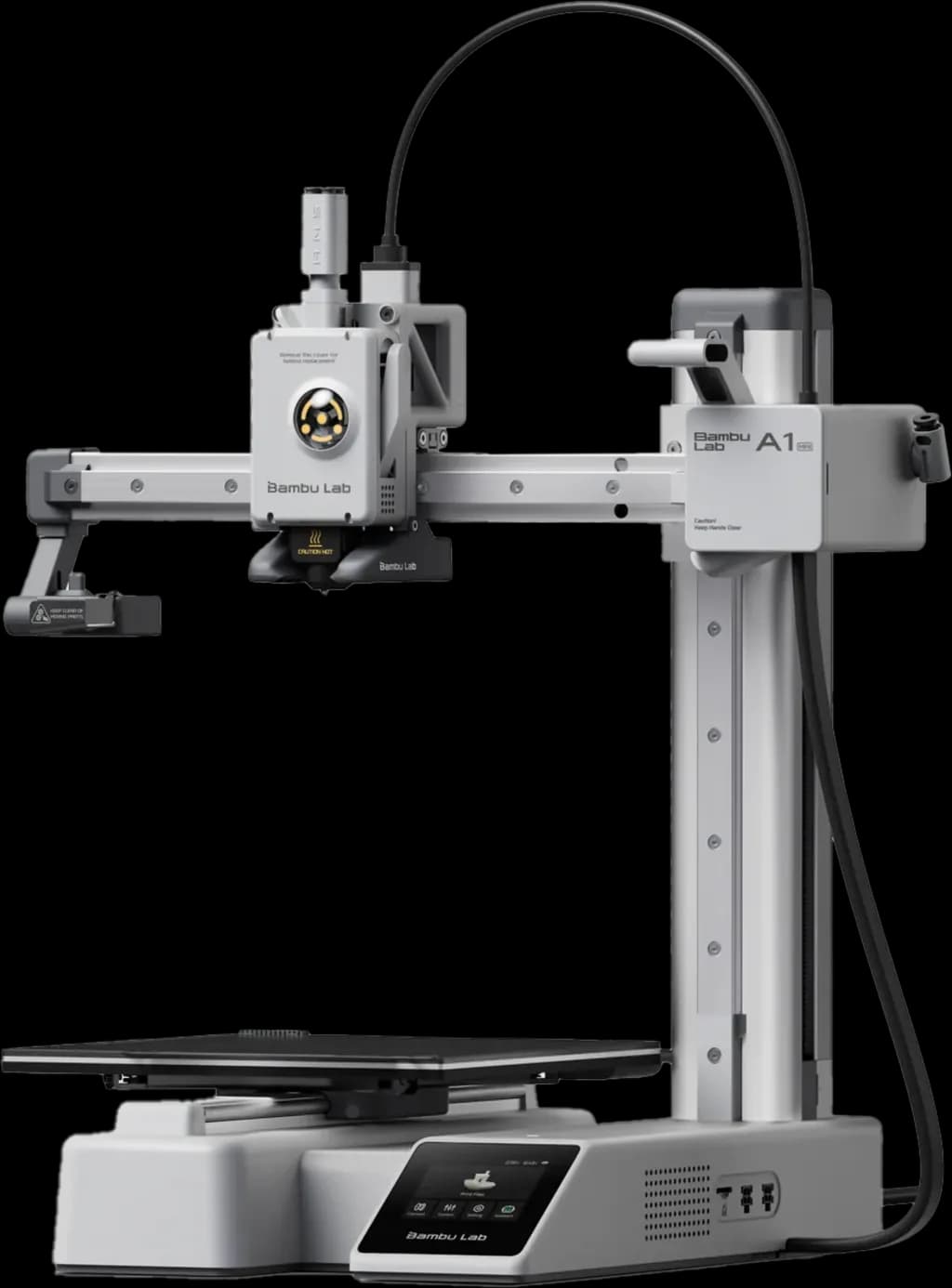
The Bambu Lab A1 Mini
Most beginners quit 3D printing because they buy machines that need constant tinkering: bed leveling, belt tensioning, firmware forums. The A1 Mini removed that entire layer. It calibrates itself before every print, and it just works.
Whether you're printing name tags for an Etsy shop or birthday gifts for the family, it handles fine lettering with a precision that makes cursive fonts look injection-molded.
Order NowThis is a sponsored link. If you purchase through this link, we may earn a small commission at no extra cost to you. We only recommend products we use and truly believe in.
The Numbers That Matter
Build volume
180 × 180 × 180 mm
Fits names up to ~17 cm wide in one piece; longer names print in two parts
Real-world speed
15-30 min
For a typical name sign or keychain at default settings
Noise level
≤ 48 dB
Quiet conversation level; bedroom-adjacent printing is fine
Calibration
Fully automatic
Bed leveling, flow rate, and vibration tuning run before each print
Price
$299 list
Frequently discounted to ~$219; about $449 with the AMS Lite 4-color unit
Materials
PLA, PETG, TPU
Open frame: no ABS or other high-temp filaments that need an enclosure
Why it's perfect for printing names
Name signs are an unforgiving test: thin cursive strokes, sharp letter edges, and a big flat first layer that shows every calibration flaw. The A1 Mini passes because its auto-calibration and input shaping were built for exactly this kind of small, detailed print.
✅ High Speed
A standard name prints in 15-30 minutes. A full plate of wedding place cards runs in roughly two hours, which is what makes 100-guest projects realistic.
✅ Full Color Ready
Add the AMS Lite later and it swaps between 4 filament colors automatically: letters in one color, base in another, no painting.
Advanced Features You'll Actually Use
Active Flow Rate Compensation sounds like marketing, but it's the reason first layers come out glass-smooth without you calibrating anything: the printer measures how the plastic flows and adjusts in real time. For name signs, where the first layer is the face of the print, this matters more than any other spec.
The built-in camera lets you check a print from your phone, and the printer pauses itself if something goes wrong. In months of printing, that has turned potential spaghetti disasters into a notification and a resumed print.
What It Can't Do (Read Before Buying)
The bed is 18 cm
A long name like 'Maximilian' at display size won't fit in one piece; you'll print it in two parts and join them. If you mostly want big statement pieces, the regular A1 with its 25.6 cm bed costs about $100 more and is the better fit.
No enclosure, so no ABS
The open frame is great for watching prints and fine for PLA, PETG, and TPU, which covers all decor and gift printing. Engineering filaments like ABS or ASA warp without an enclosed chamber. Beginners almost never need them; just know the limit exists.
The AMS Lite wastes filament on color swaps
Multi-color prints purge plastic at every color change, sometimes more than the model itself uses. For two-tone name signs, the manual filament-swap trick at a layer change is free and often good enough.
Bambu's ecosystem is semi-closed
It works best inside Bambu's own slicer and cloud. Tinkerers who want to flash custom firmware and rebuild their machine should look at a Prusa instead. Beginners generally count this trade as a win: less freedom, far fewer ways to break things.
How It Compares
Bambu Lab A1
Same machine, bigger 25.6 cm bed, about $100 more. Pick it if you know you'll print long names and large wall pieces regularly.
Prusa Mini+
The open-source choice with legendary support, but it's slower, costs more, and arrives as a kit unless you pay extra. Better second printer than first.
Used Ender 3 era machines
Tempting at $80 on marketplace listings, and the fastest way to learn why people quit 3D printing. The hours you'll spend leveling and tuning are worth more than the savings.
Our Recommendation
If you're serious about starting this hobby or business, don't buy a DIY kit to 'learn the basics'. The basics worth learning are designing and printing, not troubleshooting. The A1 Mini is a tool, not a project in itself, and that's exactly what a first printer should be.
Frequently Asked Questions
Is it hard to set up?
No. It ships 95% assembled: you mount the spool holder, remove some transport screws, plug it in, and run the guided calibration from the touchscreen. Twenty minutes from box to first print is a realistic estimate, not marketing.
What filament should I start with?
PLA, no contest. It prints reliably at default settings, comes in hundreds of colors including silk metallics and glow-in-the-dark, and costs $20-25 per kilo, which is roughly 60-100 name signs worth of plastic.
Can I print multi-color names?
Yes, two ways. The AMS Lite combo (about $150 extra) swaps between four colors automatically. Or do it free: pause the print at a layer height and swap filament by hand, which gives clean two-tone results on flat name signs.
Is the build plate big enough?
For keychains, cake toppers, place cards, and most name signs, comfortably. The 180 × 180 mm bed fits names up to about 17 cm wide in one piece; longer display names print in two sections that join invisibly at mounting time.
What does the A1 Mini cost right now?
List price is $299, and it regularly drops to around $219 during Bambu Lab sales. The combo with the AMS Lite multi-color unit runs about $449. Filament is the only ongoing cost at $20-25 per kilo.
What are the running costs?
Lower than most hobbies: a typical name print uses 10-30 cents of filament and a few cents of electricity (the A1 Mini draws well under 100 watts on average). Consumables like nozzles cost a few dollars and last months. The first spool of filament outlasts most people's first hundred prints.
Related Guides
Get Your A1 Mini Today
Ready to bring your 3D names to life? Click below to view current pricing and offers.
This is a sponsored link. If you purchase through this link, we may earn a small commission at no extra cost to you. We only recommend products we truly believe in.